On this page
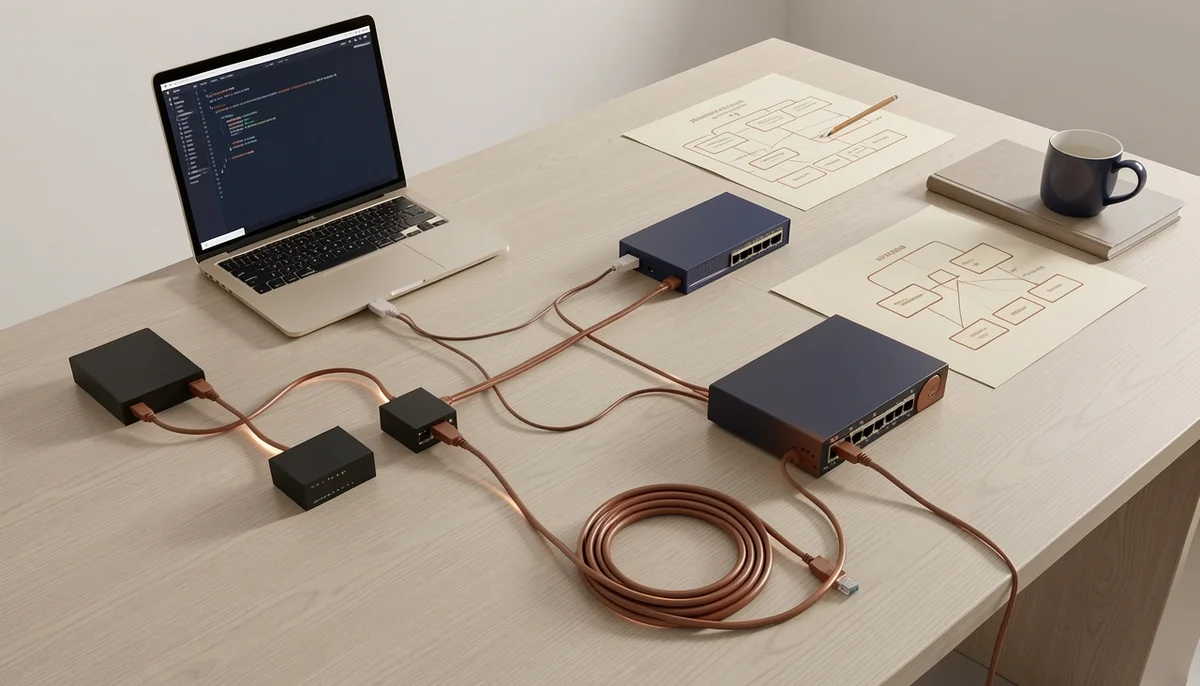
TL;DRKey facts, checked on Nov 22, 2026What is a home network lab (and what should it let you do)?Do you need physical gear, or is a virtual lab enough?What gear do you need? Three builds, from free to a full rackHow do you keep your lab from breaking your home internet?How to build a home network lab in 8 stepsWhat should you practice first? 10 labs mapped to Network+ and CCNAHow do you set up VLANs and inter-VLAN routing with two switches?Which free and paid tools are worth using?Is your lab working? A 10-point checklistOur perspectivePractice with SecLernFAQCan I build a home network lab with just one computer?Do I need a real Cisco switch to study for the CCNA?Will a home lab interfere with my home internet?What is the cheapest way to build a home network lab?How much does a home network lab cost?Can a home network lab help me get an IT job?SourcesRecommendedA home network lab is a small, isolated network of routers, switches and end devices that you own and can break, rebuild and re-address without touching the network your household uses. Build one by isolating it from your home LAN, then starting with two switches, one router and two PCs, or with a free simulator such as Cisco Packet Tracer or GNS3. You can start at zero cost and add used gear later, but check current listings before you buy because used prices move.
TL;DR
- A home network lab is an isolated set of routers, switches and PCs you can break without touching the house network.
- Start free with Cisco Packet Tracer or GNS3; add used gear only for console and cabling practice.
- The minimum physical build is two managed switches, one router, two PCs and a USB console cable.
- Keep the lab behind its own router; a lab DHCP server must never reach the home LAN.
- Network+ N10-009 weights Network Troubleshooting at 24%; CCNA 200-301 weights IP Connectivity at 25%.
Key facts, checked on Nov 22, 2026
- CompTIA Network+ N10-009 has a maximum of 90 questions in 90 minutes and a passing score of 720 on a 100-900 scale. CompTIA Network+ (Plus) Certification ↗
- Cisco CCNA 200-301 (v1.1) weights IP Connectivity at 25% and Network Access at 20%. CCNA Exam Topics (200-301 v1.1) ↗
- Cisco Packet Tracer is free to download and use through Cisco Networking Academy. Cisco Packet Tracer - Networking Academy ↗
- RFC 1918 reserves 10.0.0.0/8, 172.16.0.0/12 and 192.168.0.0/16 for private networks. RFC 1918: Address Allocation for Private Internets ↗
- RFC 5737 reserves 192.0.2.0/24, 198.51.100.0/24 and 203.0.113.0/24 for documentation and example addressing. RFC 5737: IPv4 Address Blocks Reserved for Documentation ↗
What is a home network lab (and what should it let you do)?
A home network lab is a small, isolated network of routers, switches and end devices that you own and can break, rebuild and re-address without affecting the network your household uses. That isolation is the point: a media-server homelab hosts services, while a network lab lets you shut a port, misconfigure a trunk and reset a device without anyone else noticing.
It should let you drill IP planning, VLANs, 802.1Q trunks, inter-VLAN routing, static and default routes, DHCP and DNS, ACLs, NAT/PAT and systematic fault-finding. CompTIA's Network+ page lists Networking Concepts at 23%, Network Implementation at 20% and Network Troubleshooting at 24% for N10-009, a maximum of 90 questions in 90 minutes with a passing score of 720 on a 100-900 scale. Cisco's CCNA exam topics weight IP Connectivity at 25% and Network Access at 20% in 200-301 v1.1. The lab makes those objectives concrete; it does not replace them.
Do you need physical gear, or is a virtual lab enough?
Go virtual first if your exam date is close; buy physical gear when you want console, cabling and link-state practice.
| Aspect | Physical | Virtual | Hybrid |
|---|---|---|---|
| What it is | Real switches and a router | Simulator on a laptop | Simulator plus one real switch |
| Cost | Highest | Zero with a free simulator | Low |
| Realism | Cable faults, console, LEDs | CLI and protocols, no cable faults | Real console, snapshot resets |
| Setup | An evening or more | Under an hour | About an hour |
| Best for | Physical layer, console, resets | Topology churn and rollback | Console habits with resets |
| Drawback | Cost, noise, power | Misses tactile detail | Two environments |
Virtual labs reset instantly, so you can break a trunk, roll back a snapshot and rebuild the same topology five times in an hour. Virtual network labs: how to practice networking online covers setup options. Physical gear teaches what a simulator cannot fake: a console cable with the wrong pinout, a switch that boots with someone else's configuration, or a port that stays dark because the cable is bad.
Choose virtual if you are weeks from an exam with one laptop. Choose physical if you can leave a small stack assembled. Choose hybrid for console practice without committing a room.
What gear do you need? Three builds, from free to a full rack
The minimum useful build is two managed switches, one router, two PCs and a USB console cable; a free simulator covers day one.
| Build | What is in it | Practice | Budget signal |
|---|---|---|---|
| Free virtual | One PC with 16 GB of RAM; free simulator; optional firewall VM | VLANs, trunks, routing, ACLs, NAT | Zero |
| Starter physical | Two used managed switches, router, two PCs, USB console cable | Tier 1 plus cabling and console | Moderate; check listings |
| Full rack | Layer 3 switch, firewall, virtualization host, patch panel, rack, UPS | Multilayer switching, firewall policy, virtualization | High; power and noise |
Used enterprise gear is priced by condition, generation and shipping, and listings change weekly. Check current listings, not a number printed in a guide. Power draw and fan noise matter in a bedroom. Check vendor end-of-sale and end-of-support notices before buying, and confirm current exam versions on official pages. The most useful purchase is a managed switch with VLAN and 802.1Q support; an unmanaged switch cannot teach VLANs.
How do you keep your lab from breaking your home internet?
Keep the lab behind its own router or firewall, and never uplink a lab switch into the home LAN until you know which services are running on it.
- Never bridge a lab DHCP server to the house. It can hand the household wrong addresses and gateways within minutes.
- Put the lab behind its own router. Double NAT is fine in a lab.
- Isolate on a VLAN or guest SSID if you must share the line.
- Use RFC 1918 private space: 10.0.0.0/8, 172.16.0.0/12 or 192.168.0.0/16, in a block your home LAN does not use.
- Label every cable and port, and use a separate power strip.
- Back up configurations before each experiment, and use a console cable while you learn.
How to build a home network lab in 8 steps
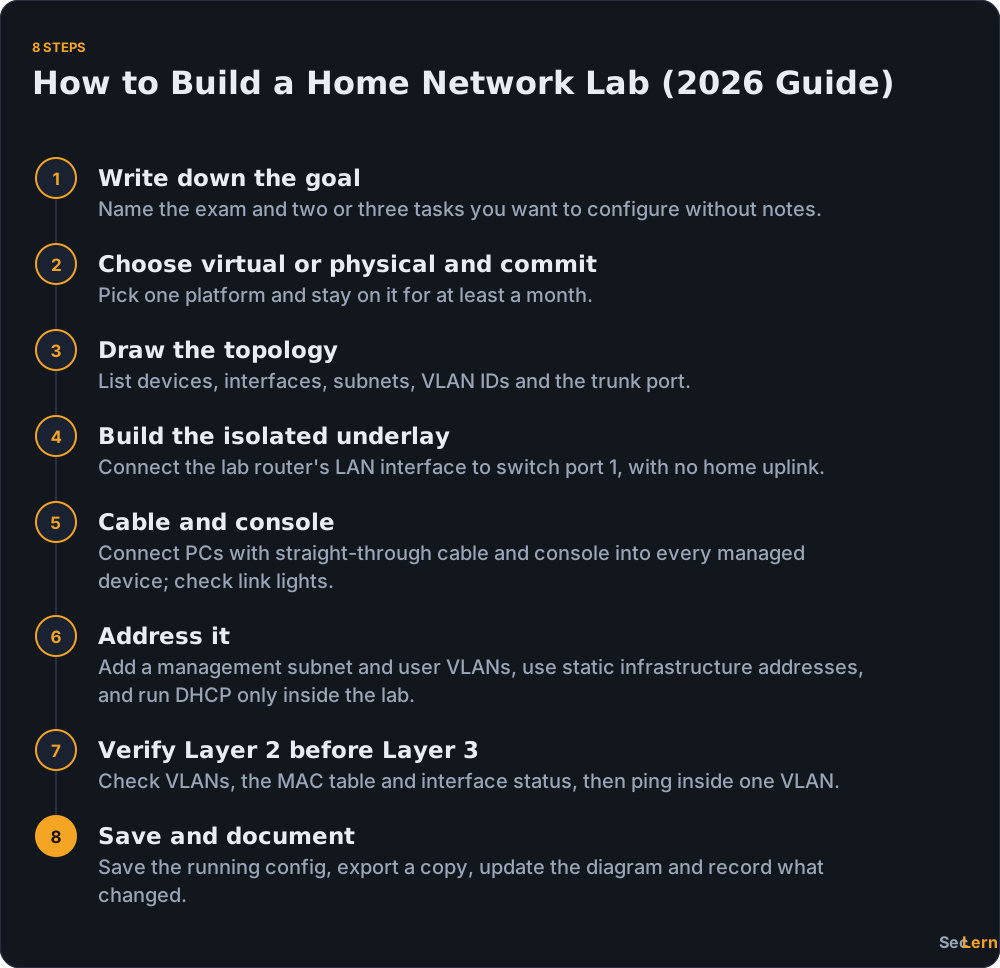
Build it in this order: define the goal, choose virtual or physical, draw the topology, wire an isolated underlay, cable and console in, address it, verify Layer 2 before Layer 3, then save and document. The steps below turn that order into a build you can finish in an evening. The starter topology is R1 with two subinterfaces, SW1 and SW2 joined by a trunk, PC-A in VLAN 10 and PC-B in VLAN 20. Keep the diagram beside the gear, and change one variable at a time. It is your checklist and your documentation.
What should you practice first? 10 labs mapped to Network+ and CCNA
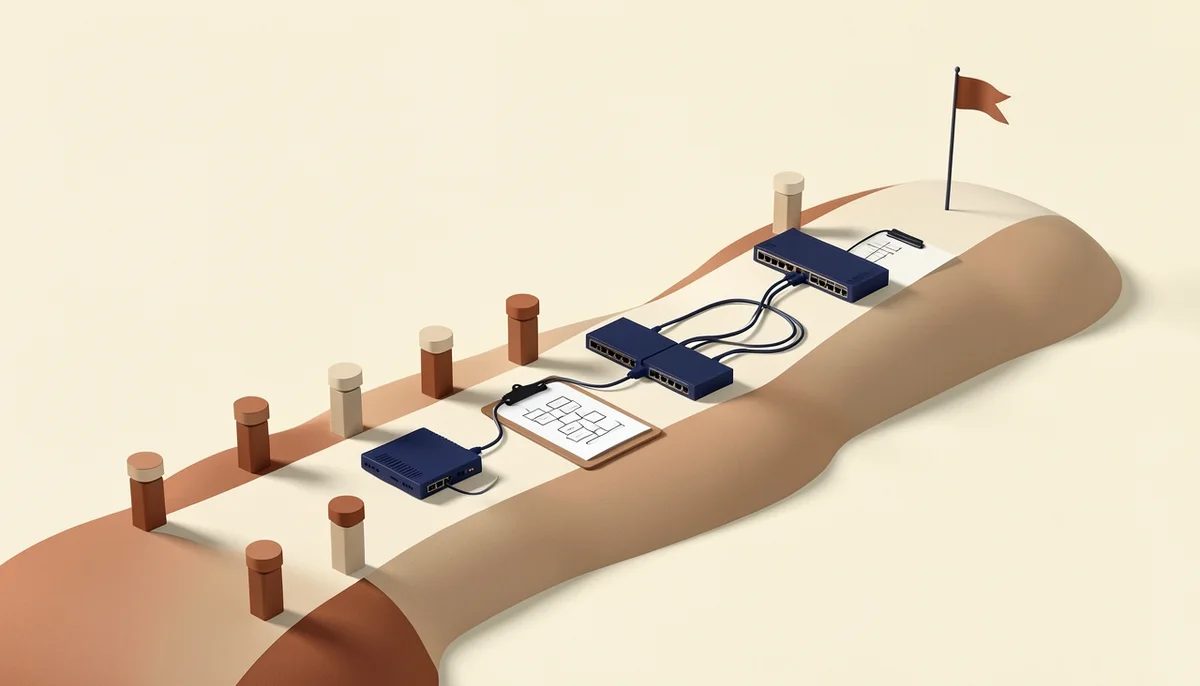
Start with IP planning, VLANs, trunks and router-on-a-stick, because those cover the heaviest-weighted areas of CompTIA Network+ N10-009 and Cisco CCNA 200-301.
| No. | Lab | Skill drilled | Exam tie-in |
|---|---|---|---|
| 1 | Build an IP addressing plan for three subnets | Subnetting and documentation | Network+ Networking Concepts (23%); CCNA Network Fundamentals (20%) |
| 2 | Cable and console a two-switch network | Physical layer and CLI access | Network+ Network Implementation (20%) |
| 3 | Create VLAN 10 and VLAN 20 and assign access ports | VLANs | CCNA Network Access (20%) |
| 4 | Configure an 802.1Q trunk and confirm both VLANs are active | Trunking | CCNA Network Access (20%) |
| 5 | Router-on-a-stick inter-VLAN routing | Default gateways and subinterfaces | CCNA IP Connectivity (25%) |
| 6 | Static and default routes to a second lab router | Reading the routing table | CCNA IP Connectivity (25%) |
| 7 | DHCP and DNS on a lab server or firewall VM | Network services | Network+ Network Operations (19%) |
| 8 | Standard and extended ACLs to block one subnet from another | Traffic filtering | Network+ Network Security (14%); CCNA Security Fundamentals (15%) |
| 9 | NAT and PAT from the lab to a simulated ISP router | Address translation | CCNA IP Services (10%) |
| 10 | Break-and-fix drill: shut a port, misassign a VLAN, use the wrong mask, then troubleshoot | Systematic fault-finding | Network+ Network Troubleshooting (24%) |
Check the plan with the free subnet calculator before you configure it. Log every lab with the commands that fixed the problem; that log becomes interview material. The Network+ labs to practice post covers vendor-neutral versions.
How do you set up VLANs and inter-VLAN routing with two switches?
Create VLAN 10 and VLAN 20 on both switches, make the inter-switch link and the router link 802.1Q trunks that allow both VLANs, then give R1 one subinterface per VLAN and point each PC's gateway at its own subinterface.
Use R1, SW1 and SW2. PC-A is in VLAN 10 on 192.168.10.0/24 at SW1; PC-B is in VLAN 20 on 192.168.20.0/24 at SW2. SW1 and SW2 share a trunk, and R1 connects to SW1 on a second trunk.
- Create VLAN 10 and VLAN 20 on both switches.
- Put PC-A's port in VLAN 10 and PC-B's port in VLAN 20.
- Allow VLANs 10 and 20 on both trunks.
- Add R1 subinterfaces with 802.1Q encapsulation and one IP each.
- Set PC-A's gateway to 192.168.10.1 and PC-B's to 192.168.20.1.
SW1(config)# vlan 10
SW1(config-vlan)# name USERS
SW1(config)# vlan 20
SW1(config-vlan)# name SERVERS
SW1(config)# interface Fa0/1
SW1(config-if)# switchport mode access
SW1(config-if)# switchport access vlan 10
SW1(config)# interface Gi0/1
SW1(config-if)# switchport trunk encapsulation dot1q
SW1(config-if)# switchport mode trunk
SW1(config-if)# switchport trunk allowed vlan 10,20
Repeat the VLAN and trunk commands on SW2 and on SW1's link to R1.
R1(config)# interface Gi0/0
R1(config-if)# no shutdown
R1(config)# interface Gi0/0.10
R1(config-subif)# encapsulation dot1Q 10
R1(config-subif)# ip address 192.168.10.1 255.255.255.0
R1(config)# interface Gi0/0.20
R1(config-subif)# encapsulation dot1Q 20
R1(config-subif)# ip address 192.168.20.1 255.255.255.0
Router-on-a-stick works because one physical link carries both VLANs as tagged frames; the router removes the tag, routes between subinterfaces and retags the frame. Verify with show vlan brief, show interfaces trunk and show ip interface brief, then ping PC-A to PC-B and run tracert; the first hop should be 192.168.10.1.
Common failures are a trunk that does not allow the VLAN, a native VLAN mismatch, a wrong PC gateway, and an access port left in VLAN 1. Use RFC 5737 ranges 192.0.2.0/24, 198.51.100.0/24 and 203.0.113.0/24 in written examples, and never reuse your home LAN's exact subnet.
Which free and paid tools are worth using?
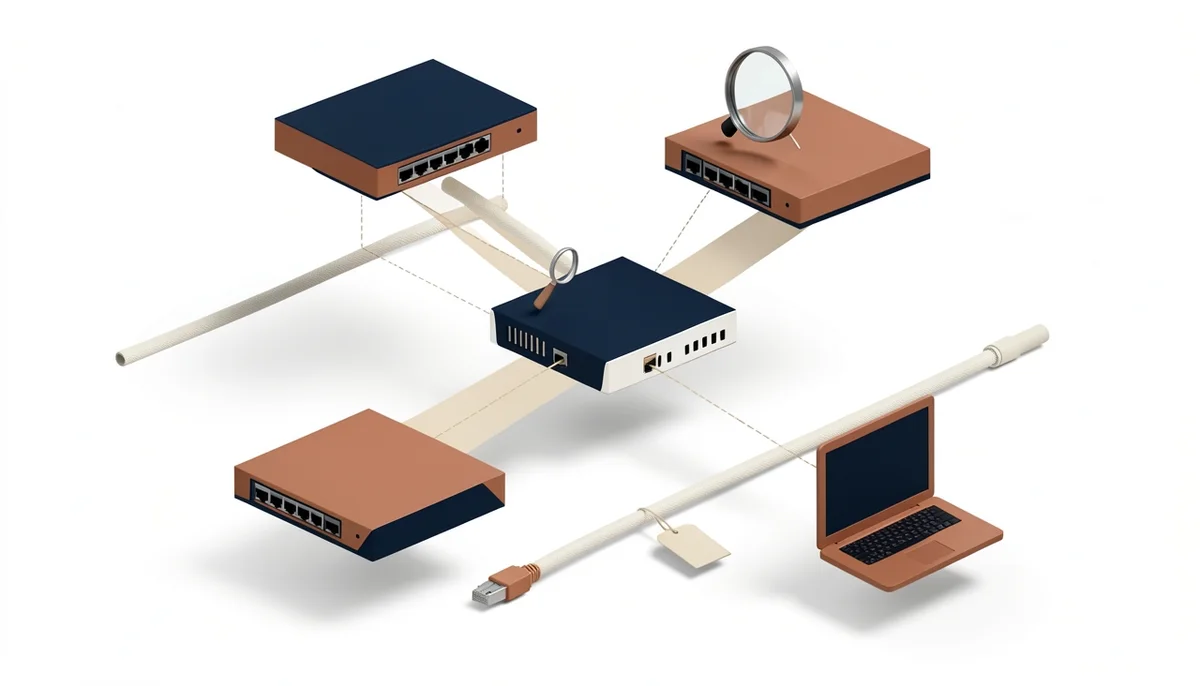
Start with Cisco Packet Tracer for CCNA-level switching and routing, use GNS3 for real network OS images, and add a guided browser lab when you want tasks rather than a blank canvas.
- Cisco Packet Tracer. Free through Cisco Networking Academy. Rebuild labs from blank files.
- GNS3. Free and open source, runs real network OS images, per gns3.com. Use it for genuine CLI behavior and VM links.
- EVE-NG Community Edition. The free tier of a heavier emulator, listed on eve-ng.net. Good for a persistent topology.
- Browser labs such as SecLern. Zero-install guided Cisco, Linux and Windows tasks through the hands-on labs that run in the browser; no VM or cloud account needed.
Pick one and finish ten labs before trying another. Tool-hopping stalls more labs than missing gear does.
Is your lab working? A 10-point checklist
Your lab is working when it is isolated from the home LAN, every managed device is reachable over a console cable, VLANs and inter-VLAN pings pass both ways, and you have restored a configuration backup at least once.
- Isolation: no home uplink. Unplug any cable to the house.
- Isolation: no DHCP leaks. The lab scope must reach lab ports only.
- Access: console works on every managed device. Test with the network cable unplugged.
- Addressing: every device matches the plan. No duplicate or overlapping subnets.
- Layer 2: VLANs exist on both switches.
show vlan brieflists the same IDs. - Layer 2: the trunk allows both VLANs.
show interfaces trunkshows them active. - Layer 3: inter-VLAN ping works both ways. Each gateway is on its own subinterface.
- Recovery: a backup exists and has been restored once. An untested backup is not a plan.
- Documentation: the diagram matches reality, port labels included.
- Practice: you broke something on purpose and fixed it from the CLI.
A lab that never breaks is a lab you are not using.
Our perspective
SecLern exists because a lab should be a place where you fail cheaply. In our experience, learners improve fastest when they rebuild the same five-VLAN topology from a blank file until the commands come out without thinking. If you have a laptop and no gear, do not wait for a switch to arrive: open a simulator, break a trunk, fix it. No simulator teaches you that a console cable is rolled or that a switch fan can ruin a video call. Buy hardware to learn those things, not to start learning VLANs.
Practice with SecLern
SecLern's browser labs run on a simulated Cisco, Windows and Linux desktop, so you can build the two-switch VLAN topology without buying hardware or installing a VM. Performance-based questions are graded on whether you completed the task, which is closer to a real lab than a multiple-choice quiz. The free tier includes 3 labs and PBQs with no card. Pro is $15 a month or $99 a year with a 7-day trial; Exam Sprint is $29 once for 90 days of Pro-level access.
FAQ
Can I build a home network lab with just one computer?
Yes. Cisco Packet Tracer, GNS3 and EVE-NG Community Edition all run on one laptop, and Packet Tracer is free through Cisco Networking Academy. A machine with 16 GB of RAM is comfortable for small topologies; 8 GB works if you close other apps. A one-computer lab covers VLANs, trunks, routing and ACLs, but not cabling, console adapters or physical link states.
Do I need a real Cisco switch to study for the CCNA?
No. CCNA 200-301 tests configuration and verification, and Packet Tracer reproduces the command line well enough for the switching and routing objectives. A used managed switch adds console sessions, cable faults and boot behavior, which help but are not required. A simulator plus repeated practice is a legitimate path to the exam.
Will a home lab interfere with my home internet?
Only if you connect it carelessly. Keep the lab behind its own router or firewall, never uplink a lab switch into the home LAN, and use a private range your home network does not use. A lab DHCP server that reaches household devices can hand out wrong addresses and gateways. Double NAT inside the lab is fine.
What is the cheapest way to build a home network lab?
Start with a free simulator. Packet Tracer is free through Cisco Networking Academy, and GNS3 is free and open source. When you want hardware, the cheapest useful step is one used managed switch with VLAN and 802.1Q support plus a USB console cable. Used prices depend on condition, generation and shipping, so check current listings.
How much does a home network lab cost?
It ranges from zero for a simulator on a laptop you already own to the cost of a used rack. The physical minimum is a managed switch, a router and a console cable; a full build adds a layer 3 switch, a firewall, a rack and a UPS. Add power draw, fan noise and shipping, and check current listings because used gear prices move weekly.
Can a home network lab help me get an IT job?
Yes, as evidence. A documented lab lets you describe what you configured and what broke: VLANs, 802.1Q trunks, inter-VLAN routing, ACLs and the commands that found the fault. A hiring manager cannot verify a lab from a resume, but specific troubleshooting stories hold up in interviews. The lab supports a certification; it does not replace one.
Sources
- CompTIA Network+ (Plus) Certification
- CCNA Exam Topics (200-301 v1.1)
- Cisco Packet Tracer - Networking Academy
- GNS3 - Build, design and test your network
- EVE-NG - The Emulated Virtual Environment
- RFC 1918: Address Allocation for Private Internets
- RFC 5737: IPv4 Address Blocks Reserved for Documentation